VEXWALL Journal
Video Wall Processor for Control Rooms: A Complete Selection Guide
2026-09-06
# Video Wall Processor for Control Rooms: A Complete Selection Guide
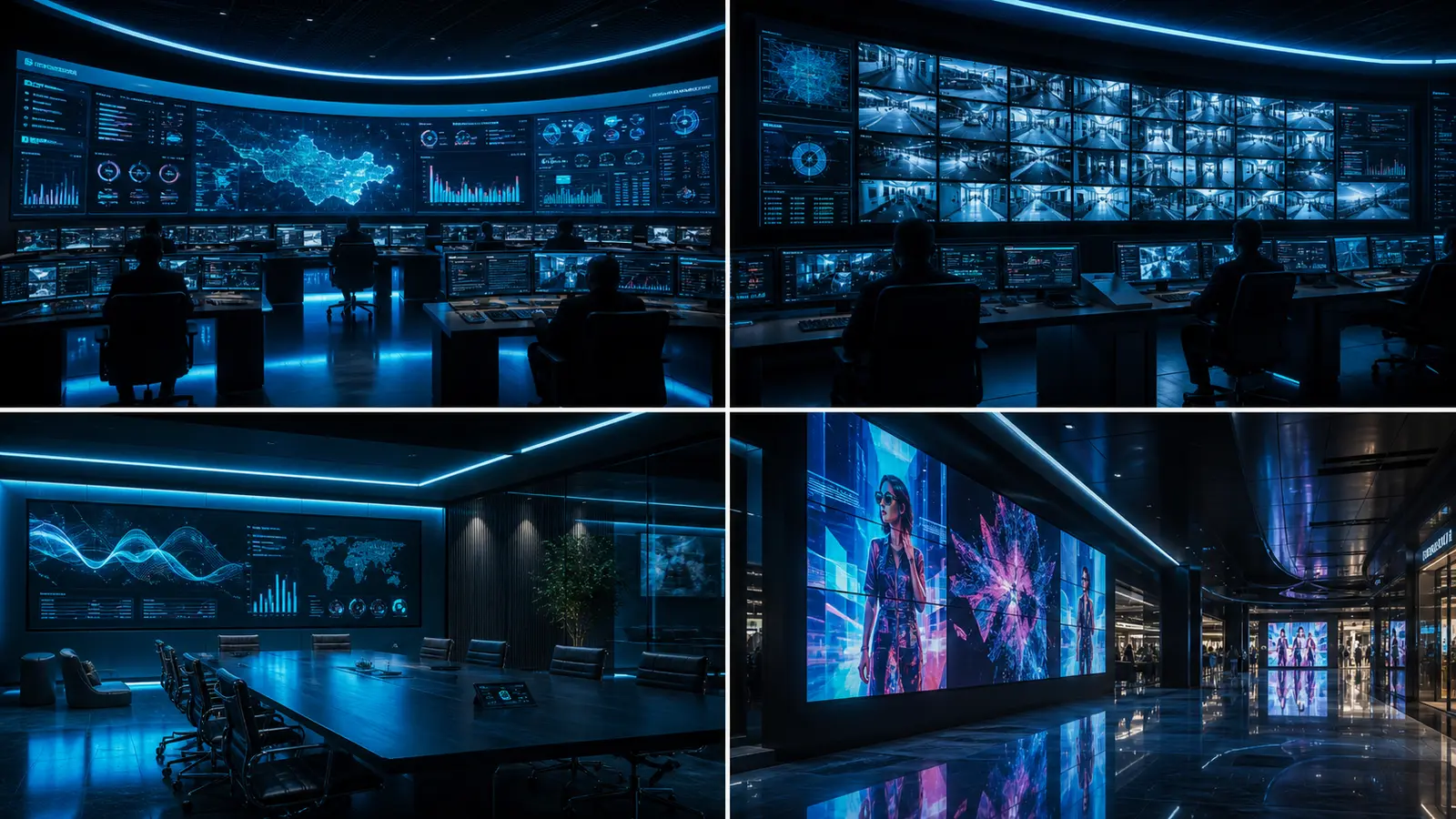
A control room processor takes many live sources, places them as windows on a shared wall and lets operators rearrange that arrangement as the situation changes.
The VEXWALL K, D and P series all do this job. They differ in scale, resolution and signal formats, so the selection question is not which one is best but which ceiling your room actually touches.
What does a control room ask of a processor?
Most control rooms combine three kinds of content on one wall: computer outputs from operators or systems, live video such as camera feeds or field streams, and reference material like maps, dashboards or schedules. The processor's job is to let these share the wall without one blocking the others.
- Control room need: A PC view beside a live camera on the same screen · Processor function that answers it: Two or more layers per screen
- Control room need: An operator pushing their source to the whole wall · Processor function that answers it: Routing a source to any output region
- Control room need: Shift handover returning a standard layout · Processor function that answers it: Scene save and recall
- Control room need: A source failing without taking the wall down · Processor function that answers it: Independent windows and input detection
Scene recall deserves attention during selection, not after installation. The question to ask is how many standard arrangements the room needs and who is allowed to change them.
K, D or P: which scale fits the room?
- K Series: Configuration ceiling · D Series: 8 in / 12 out · P Series: 40 in / 60 out
- K Series: Chassis · D Series: 1.5U · P Series: 3U / 5U / 8U
- K Series: Maximum resolution · D Series: 1920×1080 at 60 Hz · P Series: 1920×1080 at 60 Hz
- K Series: Layers per screen · D Series: Two · P Series: Two
- K Series: Input formats · D Series: HDMI · P Series: HDMI
- K Series: Wall groups · D Series: Not applicable · P Series: Not applicable
All three are pure-hardware FPGA platforms without an operating system, which removes a class of software failure from a room that runs continuously. All three handle windowing, roaming and overlay, switch seamlessly between sources, recall scenes, and run touring sequences. Control is RJ45 and RS232 throughout.
K suits a small wall in a meeting room or a compact monitoring post. D covers larger LCD walls while staying an all-HDMI platform. P is the multi-format tier, and its extra layers and wall groups matter once the room mixes content types heavily.
When does the wall need more than two layers?
Two layers per screen mean one window can sit over one background per display. That covers most control room layouts. Four layers on the P Series change what a single screen can host: several small feeds beside a map, or a tracked target window kept visible while other content moves.
- Layout on one screen: Dashboard background with one camera window · Layers required: Two
- Layout on one screen: Map with two camera windows and a status banner · Layers required: Three to four
If the room's standard layouts fit inside two layers, K or D is enough and P's extra layers will go unused. Count the layers in the busiest agreed layout, not the busiest imaginable one.
What about 4K sources and LED walls?
The P Series lists 4K input and 4K output, subject to the boards fitted. Keep the two directions separate when planning: a 4K source entering cleanly does not by itself set the output timing, which depends on the wall configuration.
For LED installations, P adds custom resolutions, non-standard LED layouts, 60 Hz frame sync, cross-card input and output sync, black-edge removal, edge masking and area zoom. These functions exist because LED cabinets rarely match the tidy dimensions of LCD panels.
- Wall type: LCD, 1080p, up to twelve screens · Starting point: K Series
- Wall type: Larger LCD wall, all HDMI sources · Starting point: D Series
- Wall type: 4K sources, mixed legacy formats, or LED · Starting point: P Series
How do IP camera feeds fit in?
Two routes exist, and the room's camera count decides between them. The P Series accepts IP streams directly: H.264 and H.265 over RTSP and ONVIF, with a single decoding port handling four 4K, sixteen 1080p, thirty-two 720p or sixty-four D1 streams as alternative working modes.
When cameras dominate the wall, a dedicated network video decoder matrix decodes streams natively, scales across chassis and manages cameras with permissions and patrol functions. Many control rooms settle on a mixed architecture: a decoder matrix carrying camera traffic, a processor carrying computer and video sources, each doing what it is built for. The processor vs decoder comparison walks through that boundary.
What should the acceptance test cover?
- Test: Busiest agreed layout recalled from scene · Why it matters: Confirms layers and windows fit the real workflow
- Test: Source failure and recovery on the wall · Why it matters: Confirms the failure behaves acceptably
- Test: Switching between each pair of common sources · Why it matters: Confirms continuity across the formats actually used
- Test: Control system commands verified · Why it matters: Confirms third-party integration works as commissioned
P Series supports third-party control protocols and secondary development, which matters when the room's master control system is already chosen. Confirm the command set against that system early rather than at commissioning.
Ready to size the room?
Request a quote with the wall dimensions, screen count, source list and the busiest layout operators need to recall. A configuration comes back with the chassis, card layout and layer budget rather than a model name alone.
Key questions, answered
What does a control room ask of a processor?
Most control rooms combine three kinds of content on one wall: computer outputs from operators or systems, live video such as camera feeds or field streams, and reference material like maps, dashboards or schedules. The processor's job is to let these share the wall without one blocking the others.
When does the wall need more than two layers?
Two layers per screen mean one window can sit over one background per display. That covers most control room layouts. Four layers on the P Series change what a single screen can host: several small feeds beside a map, or a tracked target window kept visible while other content moves.
What about 4K sources and LED walls?
The P Series lists 4K input and 4K output, subject to the boards fitted. Keep the two directions separate when planning: a 4K source entering cleanly does not by itself set the output timing, which depends on the wall configuration.
How do IP camera feeds fit in?
Two routes exist, and the room's camera count decides between them. The P Series accepts IP streams directly: H.264 and H.265 over RTSP and ONVIF, with a single decoding port handling four 4K, sixteen 1080p, thirty-two 720p or sixty-four D1 streams as alternative working modes.
Ready to size the room?
Request a quote with the wall dimensions, screen count, source list and the busiest layout operators need to recall. A configuration comes back with the chassis, card layout and layer budget rather than a model name alone.
Planning a video wall project?
Send your source list and screen layout — we'll confirm the right model and capacity.